
Shopping Cart






One wrong carrier, and the frozen goods arrive lukewarm
A customer adds a book next to the ice cream, then picks the cheapest parcel locker at checkout. The order comes in and it's your problem: call them, cancel, or ship it as requested and deal with the complaint. The same goes for chilled goods, fragile glass, or a product that can only be collected in person.
Out of the box, PrestaShop can only restrict carriers product by product. That works for a handful of products, but with hundreds or thousands it can't be maintained – and every new carrier means starting over.
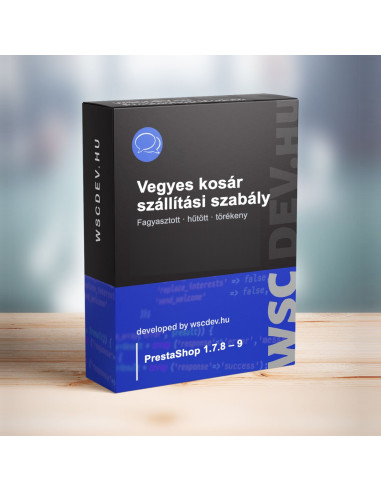
The WSC Mixed Cart Shipping Rules module solves it in one place: a product feature marks the shipping requirement, and you write the rule once, for that feature.
Why it's worth it
🧊 Rules on the feature, not per product
Pick one or more product features, for example "Shipping requirement", and write rules for their values: "Frozen: only refrigerated courier and in-store pickup" or "Fragile: no parcel lockers". There are two rule types: "only these carriers" and "not these carriers".
🚚 Checkout only shows common carriers
The module keeps the carriers allowed by every product in the cart. PrestaShop's own conditions (zone, weight, size, customer group, product-level carriers) still apply; the module narrows the list within them. Products without a rule don't restrict anything.
💬 Customers understand why the choice is narrower
A short message, configurable per language, appears at checkout, on the cart page (updated automatically when the cart changes), in the add-to-cart popup and optionally on the product page, e.g. "In-store pickup only". Fewer questions, fewer abandoned checkouts.
🛟 The cart never ends up without a carrier
If the products can't ship together, you can set a fallback carrier, such as in-store pickup. If there's none, the customer gets a clear message naming the restricted products, and you see the case in the log.
🔒 A tampered request can't select a forbidden carrier
When the order is validated, PrestaShop works from the filtered list: if a forbidden carrier is saved in the cart, the order is created with the first allowed carrier and its price. We tested this on all three supported PrestaShop branches.
🧪 Test before going live
In the back office, a rule tester shows which carriers would remain for a given set of products – no real order needed. The module lists conflicting rule pairs and shows how many active products are already marked.
🔧 Editing a carrier doesn't break the rules
PrestaShop gives a carrier a new ID every time it's saved. The module identifies carriers by their reference ID, so changing prices or zones doesn't require touching the rules. Carriers created by shipping modules are handled too.
🛡️ Checkout keeps working even on error
If anything goes wrong inside the module, the carrier list stays unfiltered, so customers can still order. The error is written to the PrestaShop log at most once an hour, and a warning appears at the top of the back office.
Where does the product marking come from?
Anywhere that can write a product feature: manually in the back office, by CSV import or from an ERP sync. The module only reads the feature and never changes product data.
How is it different from PrestaShop's built-in option?
- Built-in: allowed carriers are ticked on each product page. A new carrier or rule means reopening every affected product.
- With the module: rules live in one place, written for the feature value. Products only need the feature, which can come from an import. Customers get a message, and there's a fallback carrier.
When you don't need it
If every product can ship with every carrier, or only a few products need restrictions that you can comfortably handle with PrestaShop's per-product setting, this module won't add much. It really pays off where many products with different shipping needs end up in the same cart.
Technical details
- PrestaShop 1.7.8 – 9.1
- PHP 7.1 or newer
- No overrides, hooks only. On PrestaShop 8–9 via the delivery option filter hook, on 1.7.8 via PrestaShop's own cache
- Hungarian and English back office, customer messages per language
- Tested with the Classic theme
- Back office: Settings, Rules, Check and Log tabs
- Live-tested on PrestaShop 1.7.8, 8.2 and 9.0 shops
- Updates via the Webstart Updater module; licence for one shop, with 1 year of updates and support
Write the rule once, and checkout only offers what's right for the parcel.