Shopping Cart






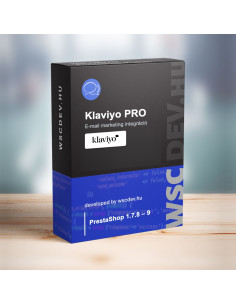
Prestashop Klaviyo integration PRO...
69,990 HUF

You purchase the module – we install it and make it ready to use. We install your selected WSC module, add Webstart Updater if required, complete the initial configuration and check its operation in your store. You do not need to handle module packages, installation or technical settings yourself.
You might also like




Installing a PrestaShop module may only take a few clicks, but the first installation can involve uploading the correct package, installing Webstart Updater, reviewing the available settings and checking that the module works correctly in your store.
If you prefer not to handle these technical steps yourself, order our installation and initial setup service together with your selected module. We complete the setup for you and hand over the module with its basic configuration and operation checked.
Do not enter your store administrator username or password on the product page, in the basket or in the order message. After your order, we send separate instructions explaining how to create a temporary administrator account for the installation.
This means you do not need to share your own administrator password. The temporary account can be removed once the installation has been completed.
The WSC licence server does not remotely install modules and does not sign in to your online store. The connection is always initiated by Webstart Updater running inside your own PrestaShop installation. For manual installation, we only use the temporary administrator account created by you.
If Webstart Updater is already installed in your store, a purchased but not yet installed module can be installed from the Updater page with one click. If you are comfortable doing this yourself and do not need help with the module’s configuration, you do not need this service.
Choose this service when you would like us to handle the installation, initial configuration and first functionality check for you.
Our modules are developed and supported by the WebStart Consulting team. Nearly 30 of our modules run in more than 20 live online stores – you buy directly from the developers, not from an anonymous marketplace.
If the module does not work properly in your store within 30 days of purchase, we fix it. If it cannot be fixed, we refund the price.
We reply to e-mails within 2 business days. In urgent cases – a system outage or an error that blocks your business – you can also call us, Monday to Friday, 8:00–20:00 CET.
We add new features and keep our modules compatible with new PrestaShop versions. One year of updates and support is included, and you can cancel the renewal at any time.
Prefer not to do it yourself? We install and configure the module in your store for a fixed price.
Tell us what you need. We will look at how to solve it: in a future version or as custom development.
The licence is tied to one online store, your domain. Clear and transparent terms.
Questions before you buy? We will check with you whether the module fits your store.
Contact usYou might also like