
Shopping Cart






Spam protection your customers won't even notice
Sound familiar? Advertising messages arrive through your contact form every day, fake-named accounts pile up among your customers, and your newsletter list keeps filling with meaningless e-mail addresses. A classic captcha stops the bots, but it punishes the customer: they have to click through pictures before they can register or write to you.
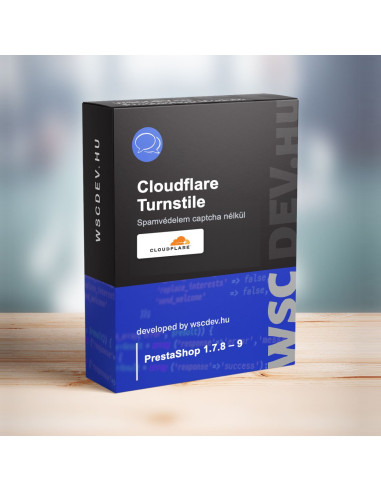
Cloudflare Turnstile works differently. It recognises bots in the background and asks nothing of most visitors. The WSC Cloudflare Turnstile spam protection module builds it into your shop's forms, without theme editing or a developer.
Why it's worth it
🛡️ Six forms, managed in one place
Contact, login, registration, checkout (registration, guest checkout and login), forgotten password and newsletter sign-up. You decide which ones are protected. Logged-in customers are not checked on the contact form and newsletter by default, so they don't have to prove themselves again.
🎨 No need to touch your theme
The check is added to the forms automatically, including a pop-up login in the header and the newsletter sign-up in the footer. The widget lines up with the form's button: centred under a centred button, right-aligned under a right-hand one. If your theme needs something else, you can place it manually or fine-tune it in a custom CSS field.
🛒 Doesn't cost you customers
If someone clicks the button before the check has finished, the form waits for the result and submits itself. If a registration or message is rejected, the entered data stays in place, so the customer doesn't have to start over.
⚡ Your shop stays open even if Cloudflare is unreachable
If Cloudflare goes down, customers can still log in and order. If you prefer the stricter approach, this can be changed. Meanwhile a hidden honeypot field that only bots fill in keeps filtering spam, and direct submissions without a browser are never let through.
🔑 A wrong setting won't lock your customers out
When you save, the module checks the secret key with Cloudflare right away and shows a live preview of the widget. If the key is wrong or the domain isn't added to the widget, it tells you clearly what to fix. A wrong secret key doesn't lock customers out: it lets them through and warns you in the back office.
📊 You can see it working
The back office shows, form by form, how many submissions were let through and how many were stopped, and why. It also shows the last problem, so you can tell at a glance whether everything is fine.
🚀 Doesn't slow your shop down
Cloudflare's script only loads on pages that actually have a protected form.
🔄 Easy switch
If you have been using the free Pixel Open Cloudflare Turnstile module, it takes over its keys and settings on install. If the old module is still enabled, the back office reminds you to disable it.
What you'll need
- A free Cloudflare account with a Turnstile widget for your shop's domain. It gives you two keys to enter in the module.
- Your shop doesn't need to be behind Cloudflare; it can stay on its current hosting.
Good to know
- For the check, Cloudflare's widget runs in the visitor's browser, and the module sends the token and the visitor's IP address to Cloudflare. It's worth mentioning this in your privacy policy.
- The module doesn't check the own submissions of third-party one-page checkout modules: there it doesn't protect, but it doesn't lock anyone out either.
- Newsletter protection requires ps_emailsubscription version 2.6 or newer.
Technical details
- PrestaShop 1.7.8 – 9.1
- PHP 7.1 or newer
- No overrides, hooks only, no database tables of its own
- Multistore: keys and forms can be set per shop
- Hungarian and English back office
- Updates via the Webstart Updater module
Less spam, happier customers. Bots get stuck, your customers don't even notice.