Shopping Cart

List your products on three price comparison platforms using one module
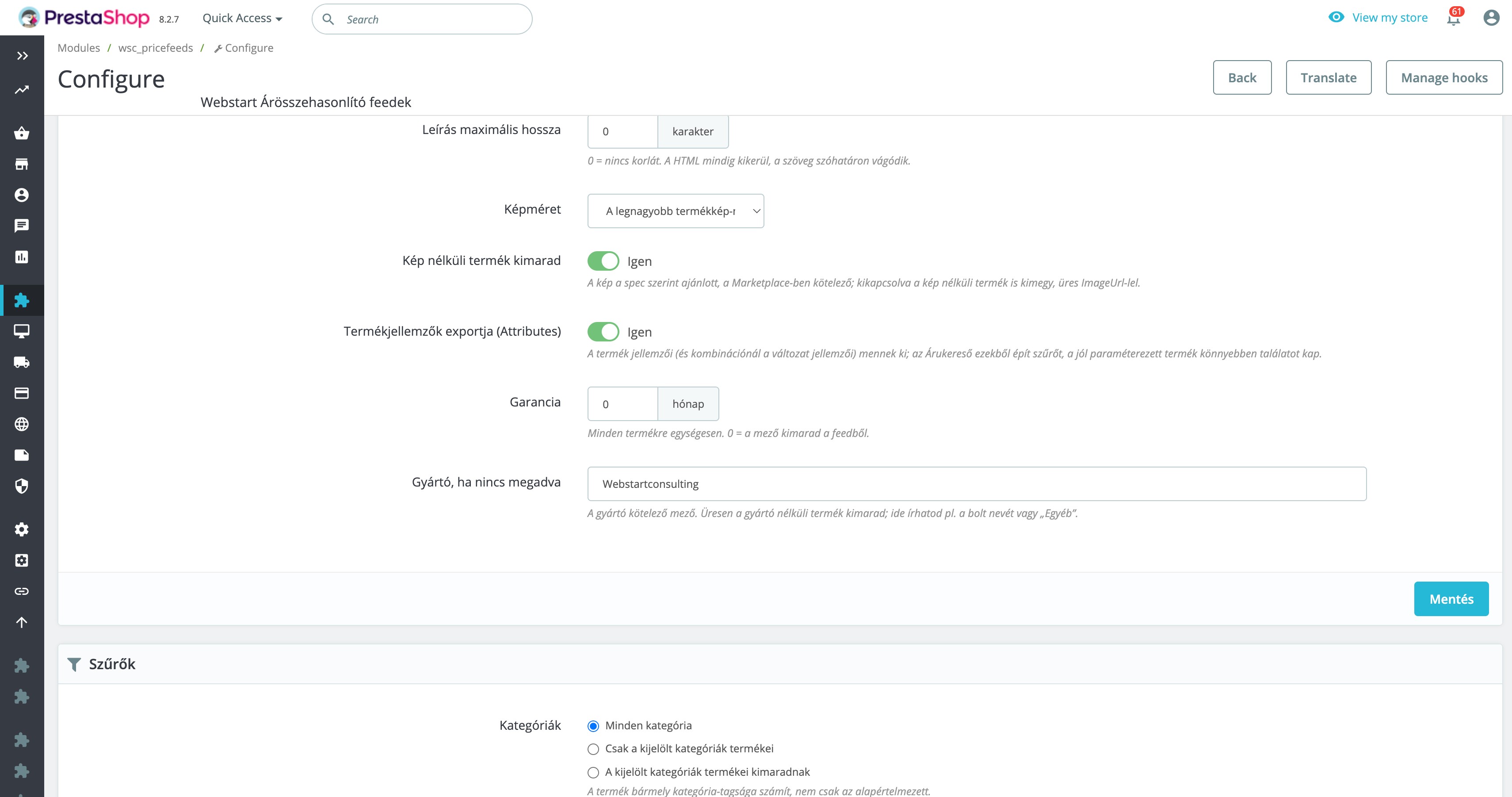
Price comparison platforms help you reach visitors who are already searching for specific products, comparing offers and moving closer to a purchase. To compete effectively, your store needs an accurate, up-to-date and properly structured product feed.
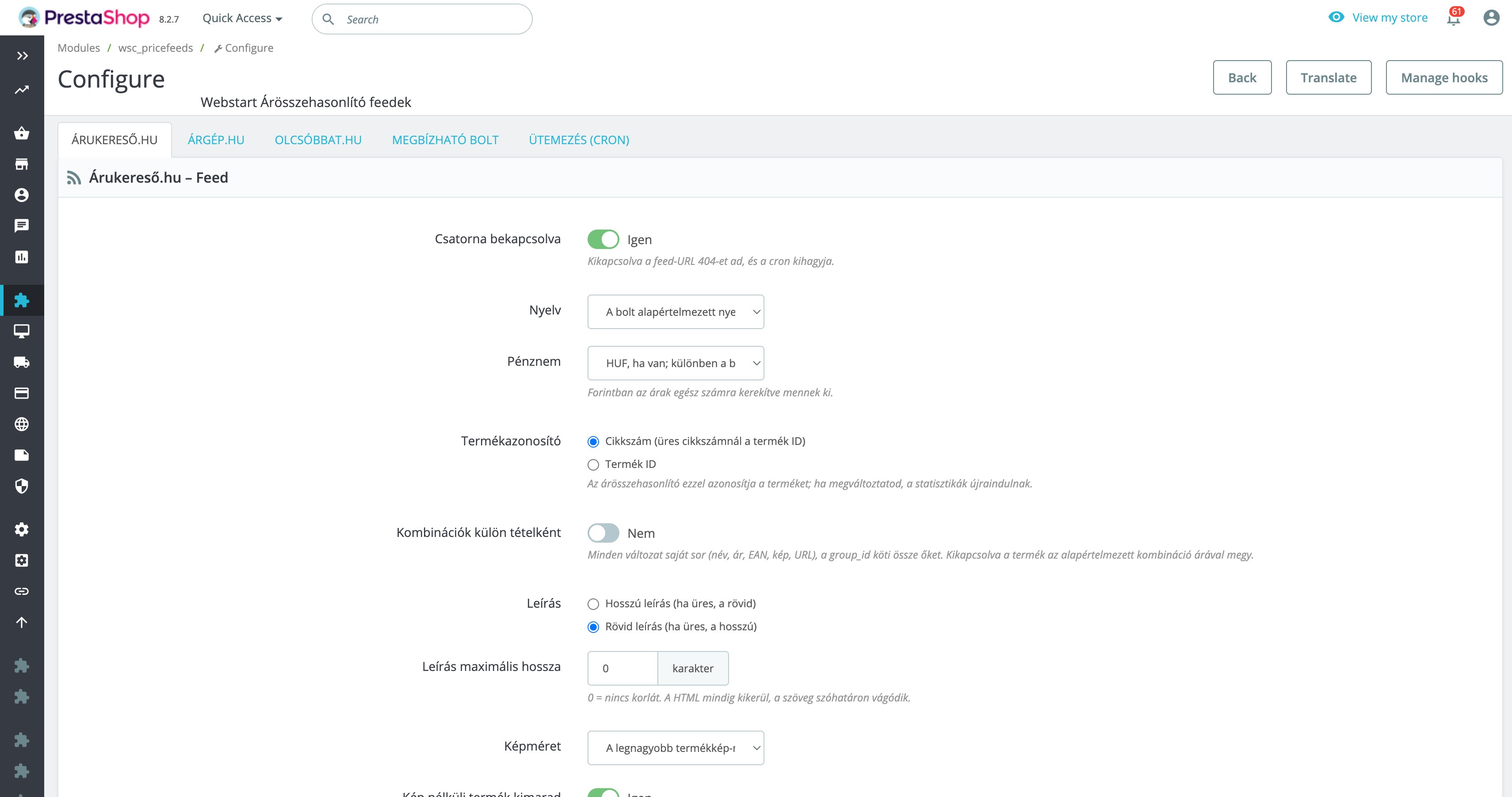
The PrestaShop Árukereső, Árgép and Olcsóbbat feed module automatically generates and updates the required XML feeds. It supports product combinations, EAN codes, delivery costs and lead times, validates required information and shows you exactly why a product was excluded.
This means less time spent manually repairing feeds and more control over which products are published on each platform.
Three platforms with separate settings
- Árukereső
- Árgép
- Olcsóbbat.hu
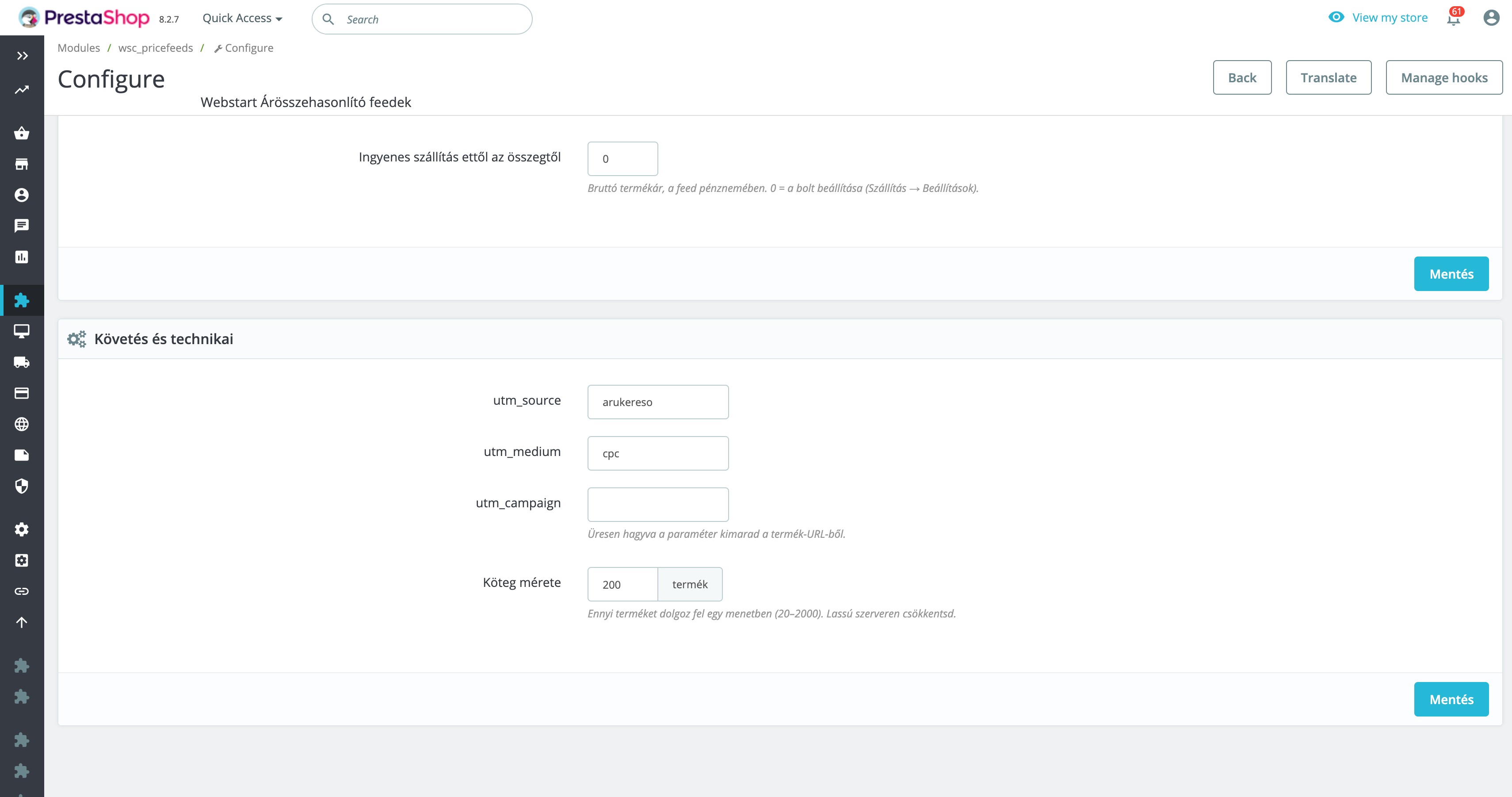
Each platform has its own configuration, protected feed URL and UTM parameters. This allows you to separate traffic from the different price comparison platforms in Google Analytics or another analytics system.
What does the module include?
- Properly formatted XML: correctly encoded fields, cleaned product descriptions and filtered invalid characters.
- Required field validation: incomplete products are excluded instead of being added to the feed with invalid data, and the reason is recorded in the log.
- Product combination support: each variant can appear as a separate item with its own name, price, EAN code, image and product URL.
- Product grouping: size, colour and other variants belonging to the same product can be linked using a group identifier.
- Net and gross prices: prices can be exported in Hungarian forints and rounded to whole values.
- Delivery costs: use a fixed value or calculate the cost from a selected carrier's pricing rules.
- Price- and weight-based calculations: additional charges, tax and free shipping thresholds are supported.
- Delivery time: determine lead time automatically from stock status and override it for individual products when needed.
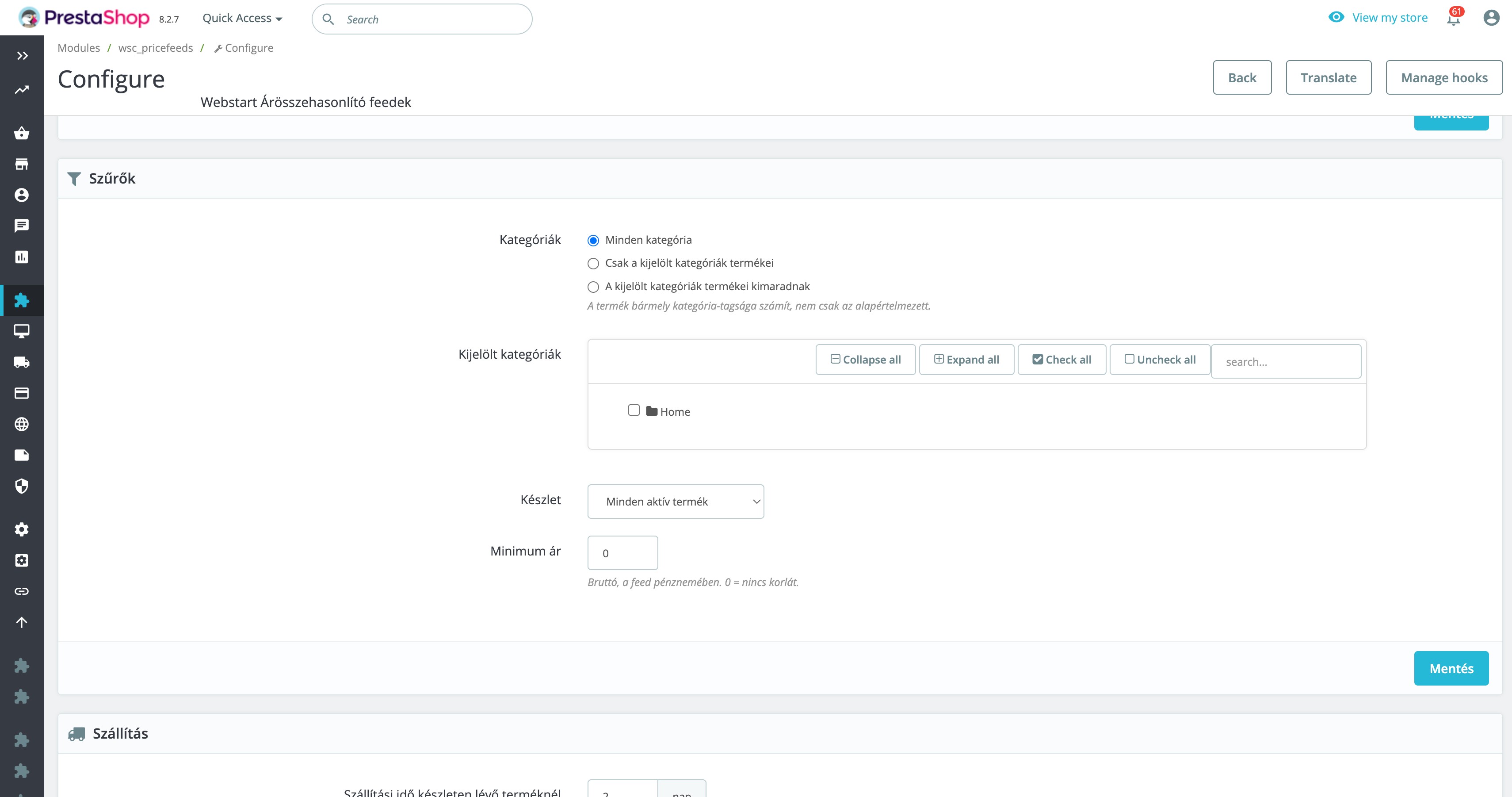
- Category filters: choose which categories should be included in or excluded from a feed.
- Stock filters: export only products that are in stock or available for ordering.
- Minimum price: automatically exclude products below a specified value.
- Missing image filter: prevent incomplete products from being submitted to price comparison platforms.
- Individual product exclusion: remove a product from the feeds using a checkbox on its product page.
Designed for large product catalogues
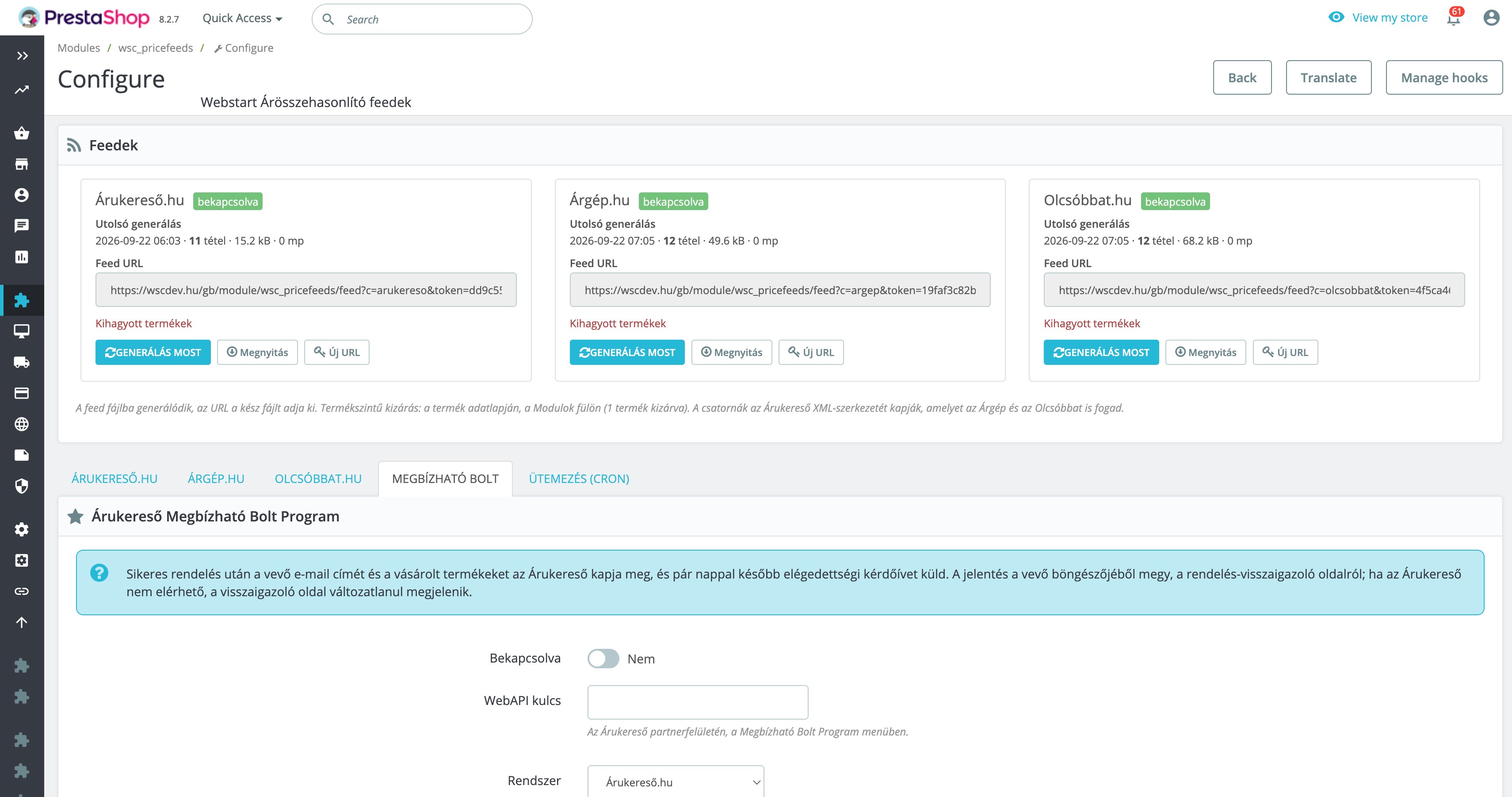
The module does not attempt to generate the entire feed in one long web request. It writes the feed to a file using resumable batch processing, making it more suitable for large catalogues containing tens of thousands of products.
- If the server interrupts the process, the next run can continue from the previously completed batch.
- During generation, the price comparison platform continues to receive the previously completed feed file.
- A progress indicator shows the current state of generation in the administration panel.
- Generation can be started from the administration panel, through a cron URL or from the command line.
You do not need to keep your browser open, and scheduled daily updates require no manual intervention.
See exactly which products were excluded
After generation, the exclusion log shows how many products were left out of the feed and explains why.
- missing manufacturer;
- missing product image;
- missing required information;
- category or stock filter;
- price below the configured minimum;
- manual product exclusion.
The log also contains product IDs, so you do not need to search through the entire catalogue when a product is missing from a price comparison platform.
Built-in Trusted Shop integration
The module includes the order reporting integration required for the Árukereső Trusted Shop Program.
After a successful order, it sends the required order information to Árukereső – or Compari.ro, depending on your configuration – allowing the platform to send a customer satisfaction survey.
The integration does not block checkout. If the external service is temporarily unavailable, the customer can still complete the order without interruption.
Who is it for?
- PrestaShop stores that want to list products on Árukereső, Árgép or Olcsóbbat.hu.
- Merchants who want to manage multiple price comparison channels from one module.
- Large stores where traditional feed generation may exceed the server execution time.
- Stores selling products with size, colour or other combinations that must be listed separately.
- Merchants who want to know exactly which products were excluded from a feed and why.
Compatibility
- PrestaShop: 1.7.6+, 8.x and 9.x
- PHP: 7.1–8.4
- Multistore: supported, with separate settings and feeds for each store
- Themes: compatible with any PrestaShop theme because the module operates only in the administration area
- Overrides: none
- Feed language: selectable from the languages available in your store
- External account: a partner account with the selected price comparison platform is required
Install it in approximately 10 minutes
- Upload and install the module in your PrestaShop administration panel.
- Enable the price comparison channel you want to use.
- Configure delivery costs, delivery times and product filters.
- Start feed generation using the “Generate now” button.
- Copy the generated feed URL into the partner platform.
- Schedule the cron URL to run once per day.
The module will then keep the feed files up to date automatically.
License, updates and support
- One license per store.
- The purchase includes one year of updates and support.
- Updates are installed automatically through the Webstart Updater using signed packages.
- The module reports only its version number and the store domain to the Webstart license server.
- No customer information is transmitted to Webstart.
Data protection information
The product feeds do not contain customer information. However, when the Trusted Shop Program is enabled, the module sends the customer's email address and the names of the purchased products to Árukereső or the configured service provider.
The use of the Trusted Shop integration and the categories of data transferred should therefore be included in the store's privacy policy.